It is used to play with other human players. It needs to connect to WeWeWeb's game server with steady Internet connection.
The Login Screen
It is the welcome screen of the online game. You need a username/password pair to authenticate yourself before you can enter into the server's game room. To obtain the username/password, you need to register a free account on the WeWeWeb.NET. After registration, the system will send you the password to your email box.
After a valid login, you will enter into the server's game room. The system will remember your username to save further input on the next login. Also, you may turn on the store password option to remember the password for the next login. (For security reason, this option is turned off by default and you need to turn it on by yourself)

The Game Room
After entering the game room, you can see two tabs, the Tables tab and the Players tab. In the game room, you can press the handset Menu button to show the message screen.
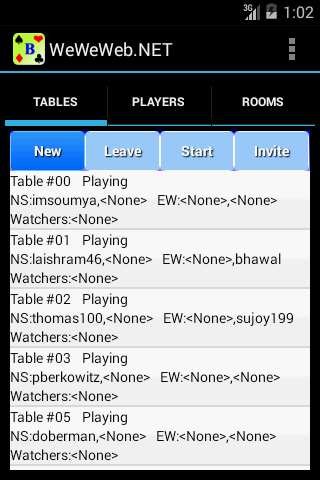
The Game Room's Tables Tab
The Tables tab shows a list of tables in the game room. Each entry has the following information:-"
You can use it to perform the following game functions:-
The Game Room's Players Tab
This tab is used only for viewing who is online. There are no further functions implemented.

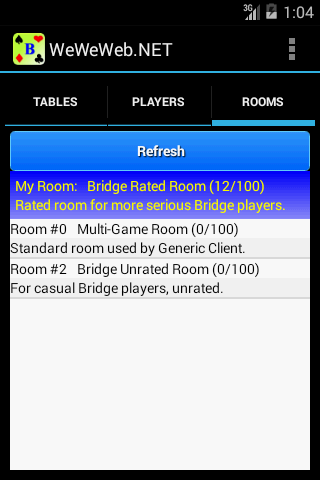
The Game Room's Rooms Tab
The tab shows the available rooms that you an switch. For
Android's Bridge app, the default room is the Rated Rated Room. To
switch a room tab on the room you want to enter.
The Game Room's Message Screen
This screen is used to chat with other players. You can send public messages on a channel or private messages to a player. To send an message, type on the textbox and press Send Message button. To select a channel or private message player target, press [Channel] or Whisper button respectively.

Playing online Bridge
Playing an online game is almost the same as playing the solo game. The major differences are:-